
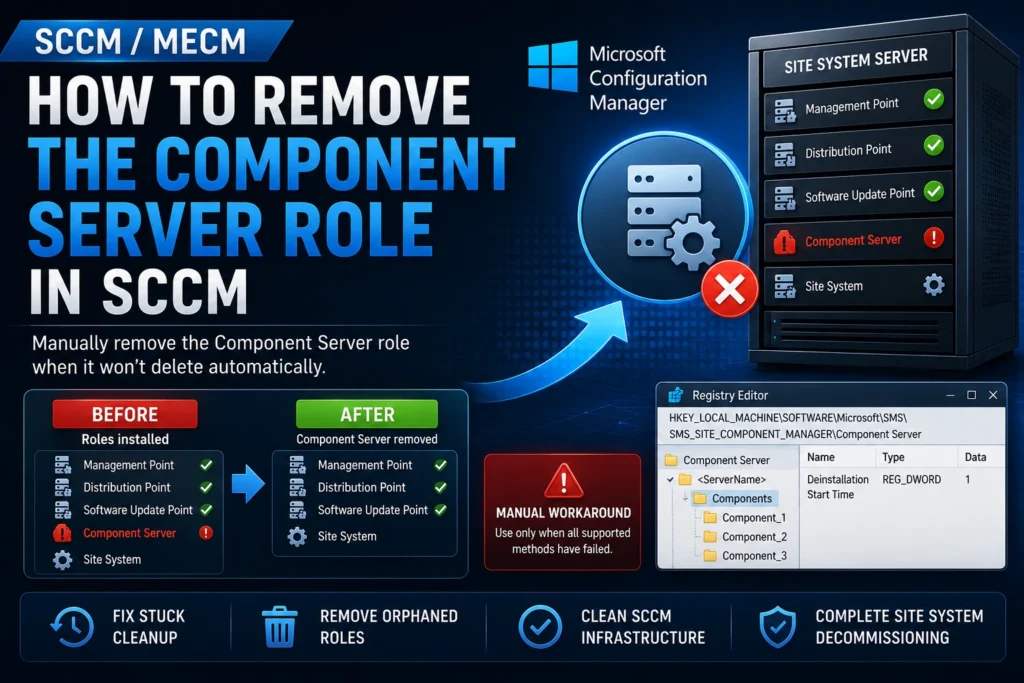
During the lifecycle of a Configuration Manager (SCCM/MECM) infrastructure, it is common to decommission a site system server following a migration, a site closure, or a hardware refresh. This usually involves removing every SCCM role installed on the server before deleting the site system from the Configuration Manager console.
However, one role sometimes refuses to disappear: Component Server. As long as this role remains, the site system cannot be removed from the SCCM infrastructure.
This article explains how to manually remove the Component Server role when the standard removal process fails.
Standard Site System Removal Process
Under normal circumstances, decommissioning a site system follows these steps:
- Manually remove every SCCM role installed on the site system.
- Wait for Configuration Manager to perform the automatic cleanup.
- Once all other roles have been removed, only the Site System and Component Server roles remain.
- Within approximately 24 hours, Configuration Manager automatically removes the Component Server role, allowing the site system to be deleted from the console.
Unfortunately, this automatic cleanup does not always occur, particularly if:
- The server is offline.
- A component manager process has become stuck.
- Internal cleanup operations have failed.
Force the Removal of the Component Server Role
⚠️ Warning
The following procedure is a manual workaround and is not officially supported by Microsoft. Use it only as a last resort after all supported removal methods have failed.
Steps
- Verify that all SCCM roles have already been removed from the affected site system.
- Log on to the Primary Site Server.
- Open the Registry Editor (regedit).
- Navigate to:
HKEY_LOCAL_MACHINE\SOFTWARE\Microsoft\SMS\SMS_SITE_COMPONENT_MANAGER\Component Server- Locate the registry key corresponding to the site system you want to remove.
- Expand the Components subkey.
- For each component, create or modify the following registry value:
| Value Name | Type | Value |
|---|---|---|
| Deinstallation Start Time | REG_DWORD | 1 |
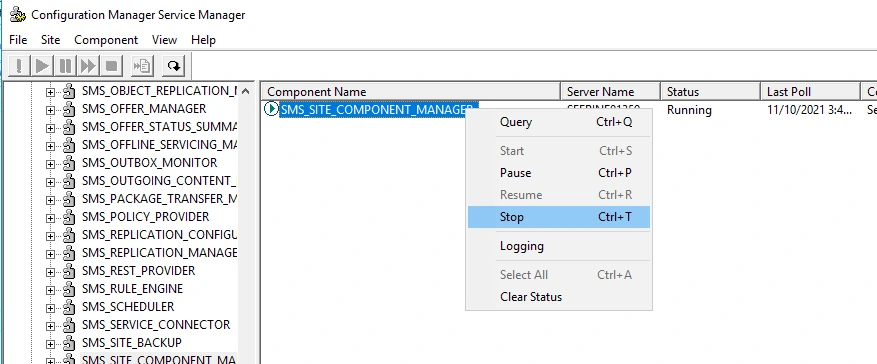
- Restart the following Windows service:
SMS_SITE_COMPONENT_MANAGERWait a few minutes.
If the procedure is successful, the Component Server role will disappear automatically from the SCCM console, allowing you to remove the site system normally.
Conclusion
The Component Server role can occasionally prevent administrators from successfully removing a site system from Configuration Manager.
Although manually modifying the registry should only be considered as a last resort, this method can be invaluable when the automatic cleanup process no longer functions.
Before making any registry modifications:
- Back up the registry.
- Verify that all other SCCM roles have already been removed.
- Always prefer Microsoft-supported methods whenever possible.
Using this workaround carefully can help restore a healthy SCCM infrastructure and complete the decommissioning process successfully.